Password Manager for Windows - SecureSafe Pro
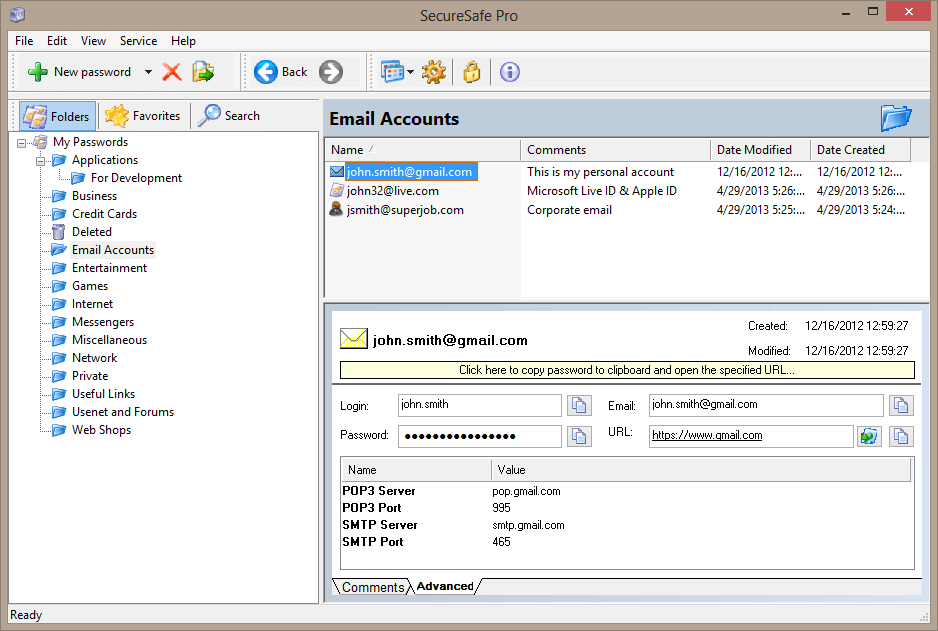
Download Password Manager for Windows SecureSafe Pro and keep your passwords, logins and private files secure on your computer, protected by a master password and strong military-grade encryption standard AES-256.
SecureSafe Pro Password Manager is a secure reliable software for Windows. On the market since 2004. We offer a lifetime license: no annual fees, backup and syncing via any cloud service (Dropbox, Google Drive, etc.) is included.
SecureSafe Pro password program can be run from a USB flash drive as a usb password manager (i.e. portable password manager).
Download Password Manager for Windows SecureSafe Pro
For Windows 10 / Windows 8.1 / Windows 8 / Windows 7 / Windows XP / Windows Vista
Latest version: 3.7 (August 17, 2022) | Size: 2,5 Mb | Free Password Manager is limited to 40 items (passwords, files, etc.)
Buy Password Manager for Windows SecureSafe Pro - $39.95
Full price. One time charge: lifetime license. No annual fees. 30-day money back guarantee.
With SecureSafe Pro Password Manager you will not have to remember all your access passwords and logins, SecureSafe Pro password manager software will do it instead of you. Use a built-in random password generator and automatically generate and use individual strong, random and secure passwords for each login place. It will protect your privacy. You can also keep your private confidential files secure inside the program.
Download and try SecureSafe Pro Password Manager for Windows just now. It is 100% free to try.
Main features of SecureSafe Pro Password Manager for Windows:
- SecureSafe Pro Password Manager uses military-grade encryption standard, approved and used by the US Department of Defense (namely AES, Advanced Encryption Standard with 256-bit key).
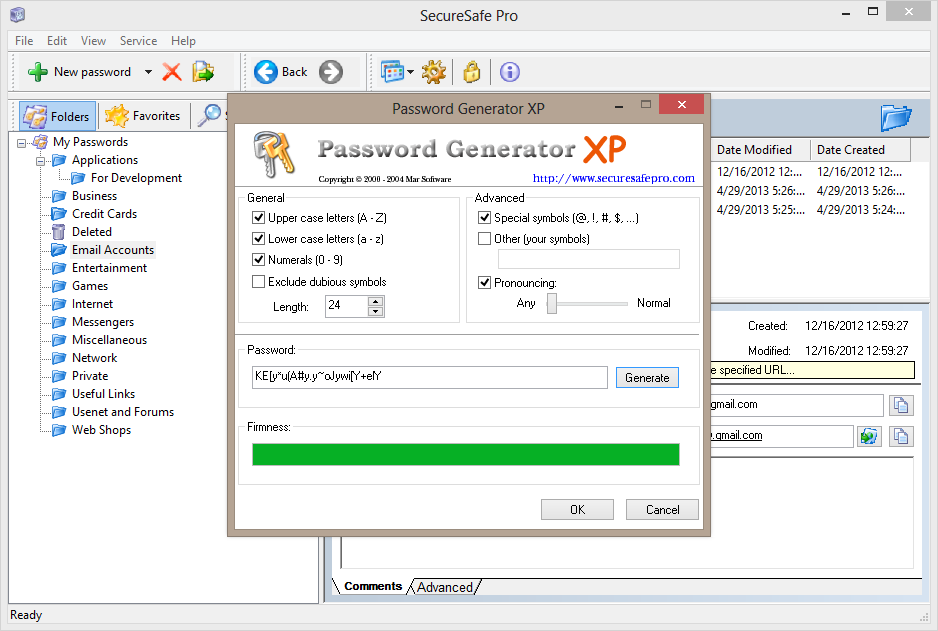
- A built-in random password generator will help to create strong secure passwords.
- You can install SecureSafe Pro password manager on a USB Flash Drive and run it as a portable password manager (USB password manager).
- You can also install the program to the cloud folder and sync data across all your computers using any cloud service you like: Dropbox, OneDrive, Google Drive or any other cloud service.
- You can store private confidential files inside the program.
- You can fully customize fields for each item (passwords, files, notes, etc.) and store any kind of data.
- You can use 330+ custom icons for each item.
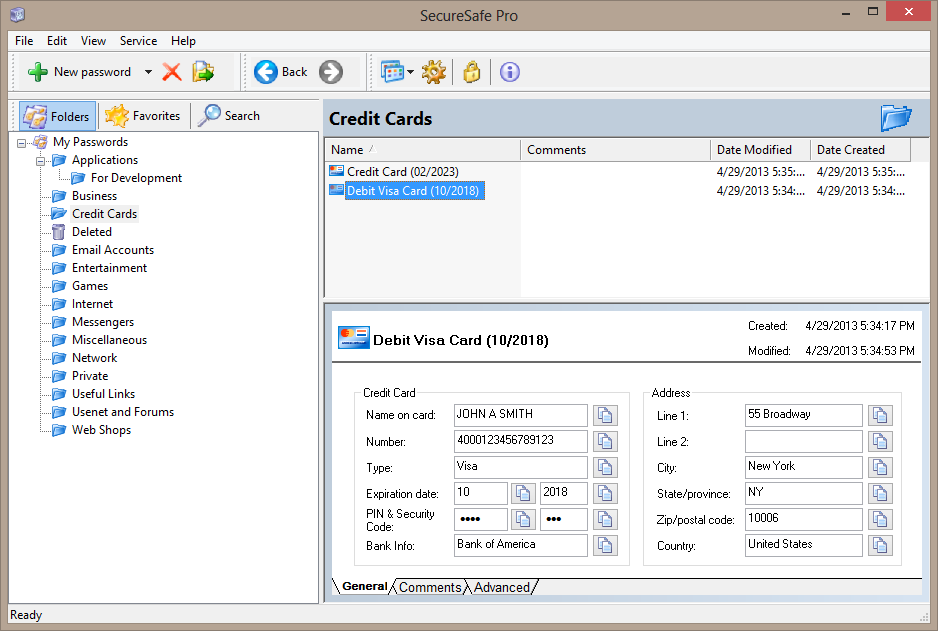
- You can use 5 predefined templates: for passwords, credit cards (with full bank info), files, notes and URLs.
- There are no limits to the number of passwords and files you can store: you can keep and manage all your access passwords, logins and private files.
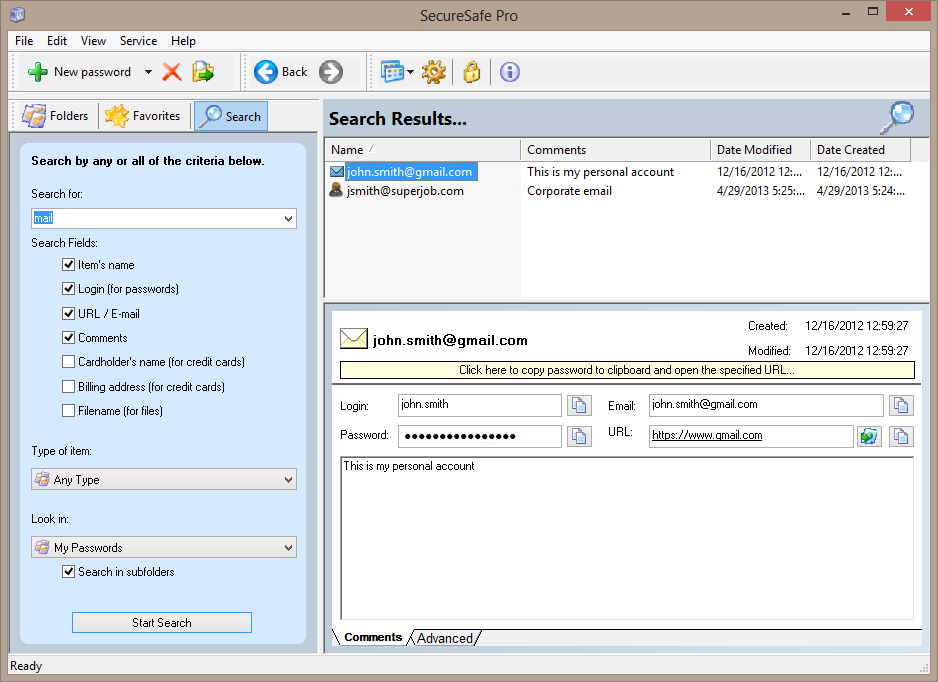
- SecureSafe Pro Password Manager has a very intuitive and easy user interface, it is very easy to search and navigate.
- Program icon is conveniently located in the system tray.
- SecureSafe Pro password manager is 100% free to download and try.
- You pay for the license just once and get a personal lifetime license. No annual fees!
System Requirements
- Both 32 and 64 bit editions of Windows 10, Windows 8.1, Windows 8, Windows 7, Windows Vista, Windows XP.
- Product activation requires one-time internet access.
- Under Windows 10, Windows 8.1 and Windows 8 SecureSafe Pro Password Manager works as a desktop app.
Why choose SecureSafe Pro password manager for Windows?
It is easy to use, but powerful, secure and reliable
 Powerful does not mean "complicated". SecureSafe Pro password manager is very easy to understand, convenient but powerful tool. Try it for free and learn all features within a few minutes!
You can keep files inside
 The program can store any files and all files can be launched from SecureSafe Pro password manager.
Files, that you store, using SecureSafe Pro password manager, won't be visible and accessible to anybody but you.
Fully customizable fields
 Predefined templates do not suite you? That is not a problem - each record can have an unlimited number of fields. Save ANY data inside your records, using SecureSafe Pro password manager software!
Automatic data backup
 Never lose your data (passwords, files, etc.)! The built-in backup feature will help you to keep your passwords, files and other sensitive data, even if a hard drive or a computer crashed.
How does SecureSafe Pro password manager for Windows work?
People nowadays have so many accounts on so many platforms that it becomes nearly impossible to memorize their respective passwords.
Each time you log into a social site or your own bank account, you need to enter your password but due to having many accounts and a number of passwords there is every chance of entering a wrong password which in turn may lead to several unwanted consequences like blocking the bank account etc.
The solution to this problem is using SecureSafe password management software which acts as a password manager by saving and protecting all your passwords with a strong encryption algorithm. All the passwords are saved with a master password.
Simple passwords are never secure. As they can be guessed, remembered and used by people with vested interests and are close to you too.
SecureSafe Pro password manager securely saves the login information and pops every time when you log into your accounts with the help of the software.
Having a portable version of this software installed on your USB drive enables you to use it to log in to your accounts on other computers too.
SecureSafe Pro Password management software integrates password manager which is an utility that you can use to save and retrieve all the essential passwords.
Its ability to limit the hackers' plans to hack your passwords is uncanny and it also adds convenient features for retrieving and organizing all the information.
In other words it can enable you to create passwords which are hack proof and the risk of your passwords getting stolen is eliminated.
And the best thing is it supports modern data security standards enabling the user to implement secure data access policies that are beyond control offered natively in Active directory.
The main advantages of SecureSafe Pro password manager for Windows include
- Increased security
- Eliminates the need for memorizing the passwords or writing them
- Passwords are no more lost or forgotten
- No need to type your password for logins as you use copy and paste instead
- Synchronizes passwords database via Dropbox, Skydrive or other cloud service
- Can be run from removable devices like HDD, USB flash drives etc.
- Consumes very little memory
- All passwords can be saved at one place
It has been studied that one of the main reasons of an account or a password getting hacked is the use of real words, kids' names, anniversary dates and other sequential numbers as passwords by people.
This is due to the reason that we find it hard to remember unfamiliar phrases or complex passwords.
SecureSafe Pro Password manager not only helps in creating a complex and long password but also helps in remembering it and retrieving it whenever needed. All the essential passwords are locked and encrypted and are protected by a single password which is known only to the user.
Simple passwords are never secure. As they can be guessed, remembered and used by people with vested interests and are close to you too.
Password management software is aimed at keeping your security intact. Password manager complex and obscure passwords remember and secure them, use them to log into your accounts and protects you from key logging and phishing attempts by unknown sources proving you complete peace of mind.
So if you decided to get a reliable software solution to store logins, passwords and files with confidential information in one place safely and securely, you need to get SecureSafe Pro Password Manager.
SecureSafe Pro Password Manager uses military-grade encryption standard, approved and used by the US Department of Defense (namely AES, Advanced Encryption Standard with 256-bit key).
It has a built-in random password generator, which creates strong secure passwords just in seconds. Strong passwords are very difficult to remember, so it is very convenient to keep all password in a secure place.
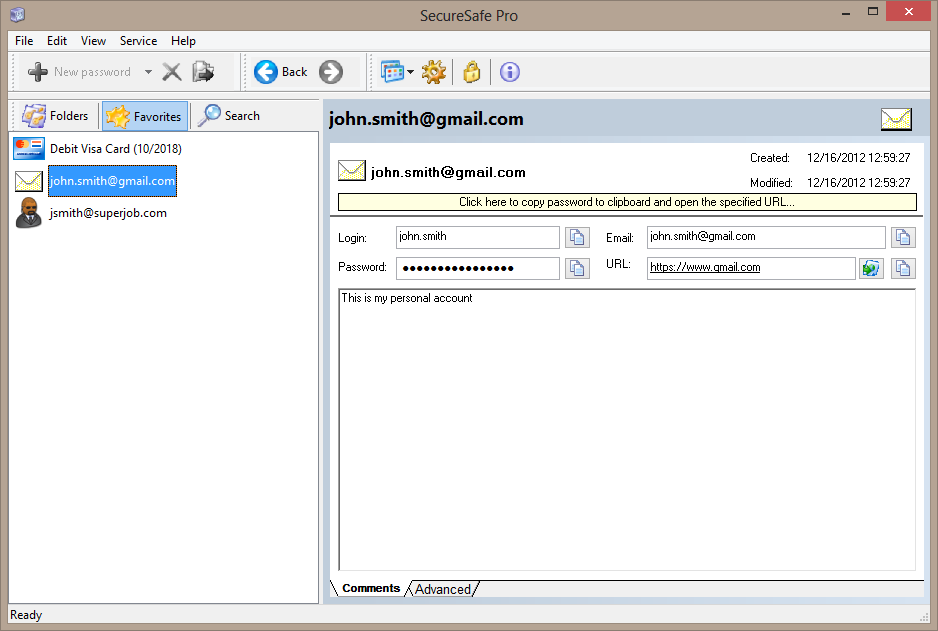
SecureSafe Pro password manager stores passwords and logins in a database tree, which is very easy to search and navigate.
When you visit a site you need access to, just click SecureSafe Pro Password Manager icon, conveniently located in the system tray, enter your access password, and that's it.
Never check "Remember my login and password" box on web sites, since it is not safe and may let hackers get access to your private information or steal your identity.
Use SecureSafe Pro Password Manager instead.
Moreover, the program comes with a number of safety precautions, like unloading access data if program is left idle.
SecureSafe Pro password manager is not just a password manager - you can store private files inside the program. Those files can by launched from the application.
Download SecureSafe Pro Password Manager for Windows free trial now. No credit card required.
Download SecureSafe Pro Password Manager for Windows